
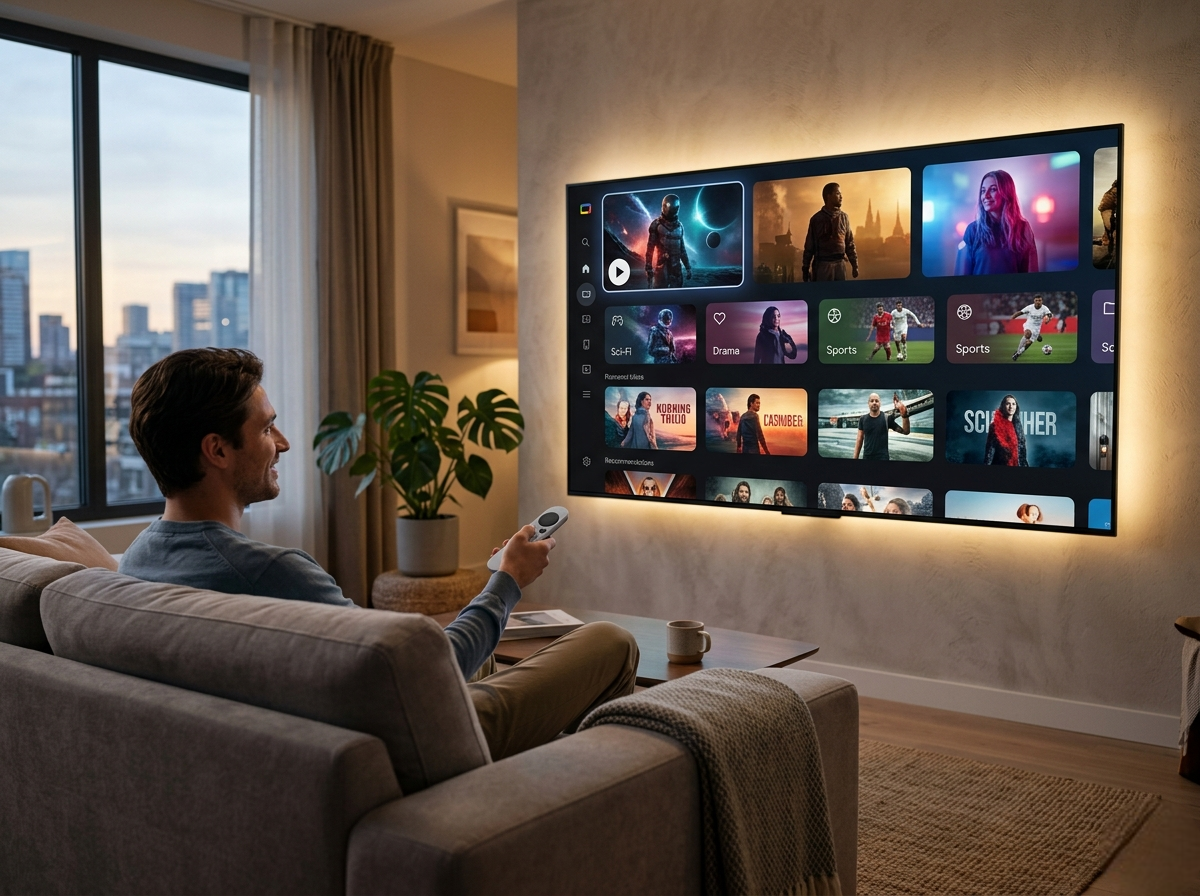
The modern streaming landscape is no longer defined by access to content — it is defined by how efficiently users can discover and consume it. Google TV represents a shift toward a more intelligent, data-driven streaming experience that goes beyond traditional operating systems.
Rather than acting as a simple interface for launching apps, Google TV functions as a content orchestration layer. It actively organizes, prioritizes, and recommends content based on user behavior, preferences, and ecosystem data.
This approach positions Google TV between two extremes:
- Simpler systems that prioritize usability
- More complex systems that prioritize aggregation
Google TV attempts to deliver both — with varying degrees of success depending on the user.
The Core Idea Behind Google TV
At its foundation, Google TV is not a completely new operating system. It is a refined experience layer built on Android TV, but the transformation it introduces is significant.
Instead of presenting users with a grid of apps, Google TV restructures the experience around content visibility and personalization.
This means:
- Content is surfaced before apps
- Recommendations evolve over time
- The system becomes more useful the longer it is used
This model reflects a broader industry trend toward predictive content delivery, where platforms aim to reduce the time users spend searching.
Interface Philosophy: Personalization Over Simplicity
Google TV’s interface is designed with one primary objective: reduce friction between the user and relevant content.
The home screen is not static. It dynamically adapts based on:
- Viewing history
- Search behavior
- Watchlists
- Trends across platforms
Unlike minimalist systems, Google TV intentionally surfaces large amounts of content on the home screen. This creates a more data-rich environment, which can be both beneficial and overwhelming.
Practical Impact on Users
- Users who enjoy browsing and discovery will benefit significantly
- Users who prefer a clean, predictable layout may find it cluttered
This design choice is deliberate — Google prioritizes engagement and discovery over simplicity.
Personalization Engine: Leveraging the Google Ecosystem
One of Google TV’s defining strengths is its integration with the broader Google ecosystem. Unlike standalone platforms, it draws insights from multiple sources.
Data Sources That Influence Recommendations
- YouTube watch history
- Google search behavior
- App usage patterns
- Watchlists and interactions
This allows Google TV to build a multi-dimensional user profile, resulting in more accurate recommendations over time.
Why This Matters
Most streaming platforms rely solely on in-app behavior. Google TV extends beyond that, creating a more holistic understanding of user preferences.
However, this also introduces considerations:
- Increased reliance on data tracking
- Potential concerns for privacy-conscious users
Content Aggregation: Solving Fragmentation
Streaming fragmentation is one of the biggest challenges users face today. Content is spread across multiple platforms, each requiring separate navigation.
Google TV addresses this by:
- Aggregating content across supported apps
- Displaying availability in one place
- Allowing direct access to content when possible
User Benefit
Instead of asking:
“Which app is this on?”
Users can focus on:
“What do I want to watch?”
This significantly reduces decision fatigue and improves overall user experience.
Limitations
- Not all apps fully integrate into the aggregation system
- Some content still requires manual navigation
Despite these limitations, Google TV remains one of the more effective platforms in reducing fragmentation.
Application Ecosystem: Flexibility with Trade-Offs
Because Google TV is built on Android TV, it benefits from a broad and flexible application ecosystem.
Strengths
- Access to Google Play Store
- Large variety of streaming and utility apps
- Support for additional use cases (gaming, tools, etc.)
Weaknesses
- App quality and optimization can vary
- UI consistency is not always uniform across apps
- Some apps are not optimized for TV environments
Strategic Insight
Google TV offers freedom and flexibility, but at the cost of consistency and control.
This is a key distinction when compared to more tightly managed platforms.
Performance Considerations: Hardware Matters
Google TV’s performance is heavily dependent on the hardware it runs on. Unlike lightweight operating systems, it requires more resources to function optimally.
What Affects Performance
- Device processor
- Available RAM
- Background processes
- Network stability
Typical Performance Profile
- Smooth experience on mid-range and high-end devices
- Occasional lag on entry-level hardware
- Stable 4K and HDR playback when properly supported
Why Performance Varies
Google TV continuously processes:
- Recommendations
- Background data syncing
- System-level integrations
This results in a heavier system load compared to simpler alternatives.
Voice Interaction and Smart Integration
Google TV integrates deeply with Google Assistant, making voice control a central part of the experience.
Core Capabilities
- Voice search across multiple apps
- Playback control
- Smart home device control
- Context-aware commands
Example Use Cases
- Searching for movies without typing
- Controlling smart home devices directly from TV
- Switching between content sources using voice
This level of integration enhances convenience, especially in smart home environments.
Real-World Usage Scenarios
Understanding where Google TV excels requires looking at real usage patterns.
Scenario 1: Multi-Platform Viewer
Users subscribed to multiple streaming services benefit from:
- Centralized content discovery
- Reduced app switching
- Personalized recommendations
Scenario 2: Google Ecosystem Users
Users with Android devices and Google services experience:
- Seamless integration
- Cross-device continuity
- Enhanced personalization
Scenario 3: Casual Viewers
Users who prefer minimal interaction may find:
- Interface slightly overwhelming
- Recommendations excessive
Common Challenges Users Encounter
Performance Issues on Lower-End Devices
Google TV can feel slow on devices with limited hardware.
Solution:
Choose devices with stronger processors and adequate RAM.
Overwhelming Interface
The amount of content displayed can feel excessive.
Solution:
Customize preferences and reduce unnecessary recommendations.
App Compatibility Problems
Some apps may not function optimally.
Solution:
Keep apps updated and use alternatives when needed.
How to Optimize Google TV for Better Performance
Improving the experience on Google TV often requires small adjustments.
- Keep the system updated regularly
- Limit background applications
- Use stable, high-speed internet (preferably 5GHz or Ethernet)
- Customize recommendation settings
- Remove unused apps
These optimizations can significantly improve responsiveness and usability.
Google TV Compared to Other Streaming Platforms
Google TV occupies a middle ground in the streaming OS ecosystem.
Compared to Simpler Platforms
- More intelligent
- More personalized
- Less straightforward
Compared to Aggregation-Focused Platforms
- More refined
- Better ecosystem integration
- More balanced experience
Key Takeaway
Google TV is not the simplest or the fastest — it is designed to be the most adaptive.
Who Should Consider Google TV?
Ideal Users
- Users invested in the Google ecosystem
- Viewers who want personalized recommendations
- Households using multiple streaming services
- Users comfortable with modern, data-driven interfaces
Less Suitable For
- Users seeking minimalism
- Those using low-end streaming devices
- Privacy-focused users who avoid data tracking
Final Thoughts: Is Google TV Worth It in 2026?
Google TV represents one of the most advanced approaches to streaming interfaces. It is built for a future where:
- Content discovery is automated
- Personalization is central
- Ecosystem integration enhances usability
It is not perfect, and it is not designed for everyone. However, for users who value intelligence over simplicity, Google TV offers a compelling and forward-looking streaming experience.