
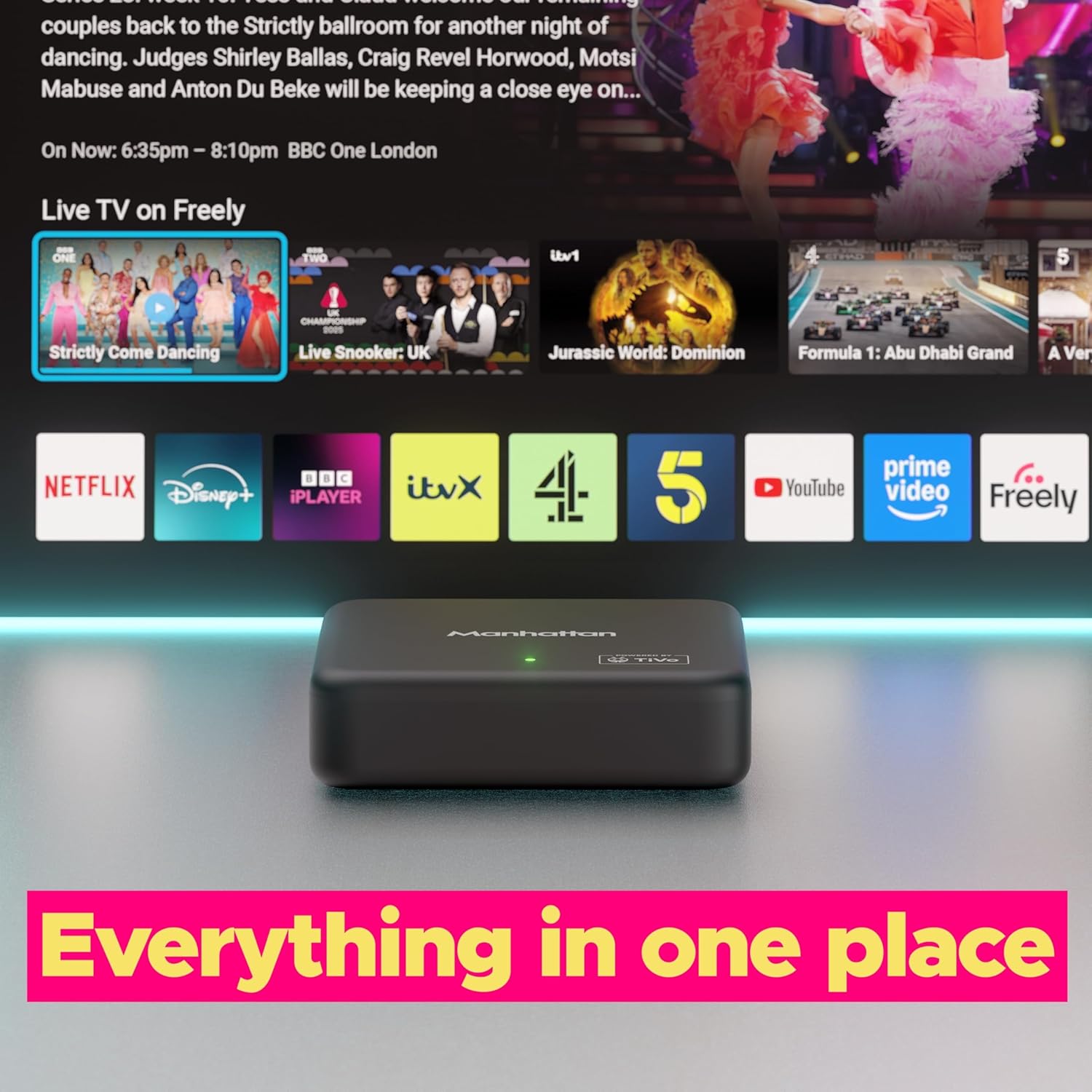
Streaming platforms are no longer just tools for watching content — they are becoming intelligent systems that decide what you should watch next. TiVo OS is one of the few platforms that fully embraces this shift.
Instead of focusing purely on speed or simplicity, TiVo OS is designed around one central idea:
Reduce decision fatigue by bringing content to the user.
This makes it fundamentally different from platforms like Roku OS, which prioritize simplicity and user control. If you haven’t explored Roku yet, you can check our full breakdown here:
➡️ [Read the Roku OS Guide]
In this guide, we’ll break down TiVo OS from every angle — how it works, where it excels, where it struggles, and who it’s actually built for.
How TiVo OS Reframes the Streaming Experience
TiVo OS doesn’t start with apps — it starts with content aggregation.
Traditional Streaming Flow
- Open app
- Browse content
- Decide what to watch
TiVo OS Flow
- System analyzes preferences
- Recommends content across platforms
- User selects content directly
This shift is subtle but powerful. It removes friction from the most common streaming pain point:
“I have apps… but I don’t know what to watch.”
Interface Design: Built Around Content, Not Apps
TiVo OS uses a content-first interface, which feels very different from more minimal systems.
Key Characteristics
- Content recommendations dominate the home screen
- Apps are secondary, not primary
- Live TV and streaming content appear side-by-side
UX Implications
Strengths:
- Faster content discovery
- Less app switching
- Better for casual viewers
Weaknesses:
- Can feel cluttered
- Slight learning curve
- Less predictable navigation than simpler systems
Compared to Roku OS:
- Roku = clean, app grid
- TiVo = dynamic, content feed
Content Discovery Engine: Where TiVo OS Stands Out
This is where TiVo OS differentiates itself the most.
What It Does Well
- Aggregates content across multiple streaming services
- Suggests titles based on viewing habits
- Highlights trending and relevant content
- Integrates live TV into recommendations
Why This Matters
Most users don’t struggle with access — they struggle with choice. TiVo OS addresses:
- Decision fatigue
- App fragmentation
- Time wasted browsing
App Support and Platform Flexibility
TiVo OS is built on an Android TV foundation, which gives it flexibility.
Advantages
- Access to Google Play Store
- Broad app compatibility
- Potential for sideloading
Limitations
- App optimization varies
- Occasional inconsistencies in performance
- Less controlled ecosystem compared to Roku
Key Comparison Insight
- Roku OS: tightly controlled → consistent experience
- TiVo OS: open ecosystem → more flexibility, less predictability
Performance in Daily Use: What to Expect
Performance is where TiVo OS shows trade-offs.
Real-World Observations
- UI transitions can feel slightly slower
- Recommendation-heavy interface adds system load
- App launches are generally acceptable
- 4K streaming performance is stable
Why It Feels Different
TiVo OS processes more data in real time (recommendations, aggregation), which impacts responsiveness compared to lighter systems.
Compared to Roku OS
| Scenario | TiVo OS | Roku OS |
|---|---|---|
| UI Speed | Moderate | Fast |
| Stability | Variable | Very stable |
| Responsiveness | Good | Excellent |
Smart Features and Ecosystem Integration
TiVo OS integrates well with the Google ecosystem.
Supported Features
- Google Assistant voice control
- Chromecast built-in
- Android device compatibility
Limitations
- Limited Alexa integration
- Weak Apple ecosystem compatibility
This makes TiVo OS more suitable for users already invested in Google services.
Strengths and Weaknesses in Practical Terms
Strengths
- Powerful content recommendation engine
- Unified streaming + live TV experience
- Flexible app ecosystem
- Strong Google integration
Weaknesses
- Heavier interface
- Less consistent performance
- Slight learning curve
- Not as streamlined as simpler OS options
Who Will Benefit Most from TiVo OS?
Ideal Users
- People who struggle to decide what to watch
- Users who consume content across multiple platforms
- Households using both live TV and streaming
Less Suitable For
- Users who want a minimal, fast interface
- Non-technical users who prefer simplicity
- Performance-focused buyers
Common Issues and Practical Fixes
Sluggish Interface
- Reduce background apps
- Restart device regularly
App Instability
- Update apps via Play Store
- Clear cache
Network Issues
- Switch to 5GHz Wi-Fi
- Optimize router placement
Tips to Improve TiVo OS Performance
- Limit installed apps
- Keep software updated
- Use voice search instead of manual browsing
- Simplify your home screen
Final Thoughts: Is TiVo OS Worth Considering?
TiVo OS is not trying to be the fastest or simplest platform — it’s trying to be the smartest in terms of content delivery.
It works best for users who:
- Want help discovering content
- Use multiple streaming platforms
- Value recommendations over control
However, users who prioritize:
- Speed
- Simplicity
- Stability
may find platforms like Roku OS more suitable.